Operations workflows
The admin that eats your team's week, handled.
Less time on admin, faster turnaround, and fewer things slipping through the cracks.
Already running in production
If this is your week.
- Friday afternoon is invoices, and it has been Friday afternoon for years.
- A job gets texted to you personally and lives in that thread until it does not.
- Someone asks a question only you can answer, and you are on a roof.
Built on the same white-label portals and task system our own team lives in every day, with intake, dispatch, and document generation running off your real data.
None of that is a people problem. It’s work with nowhere to live, and this is where it lives.
Built for teams drowning in coordination, data entry, and paperwork that pulls them off billable work.
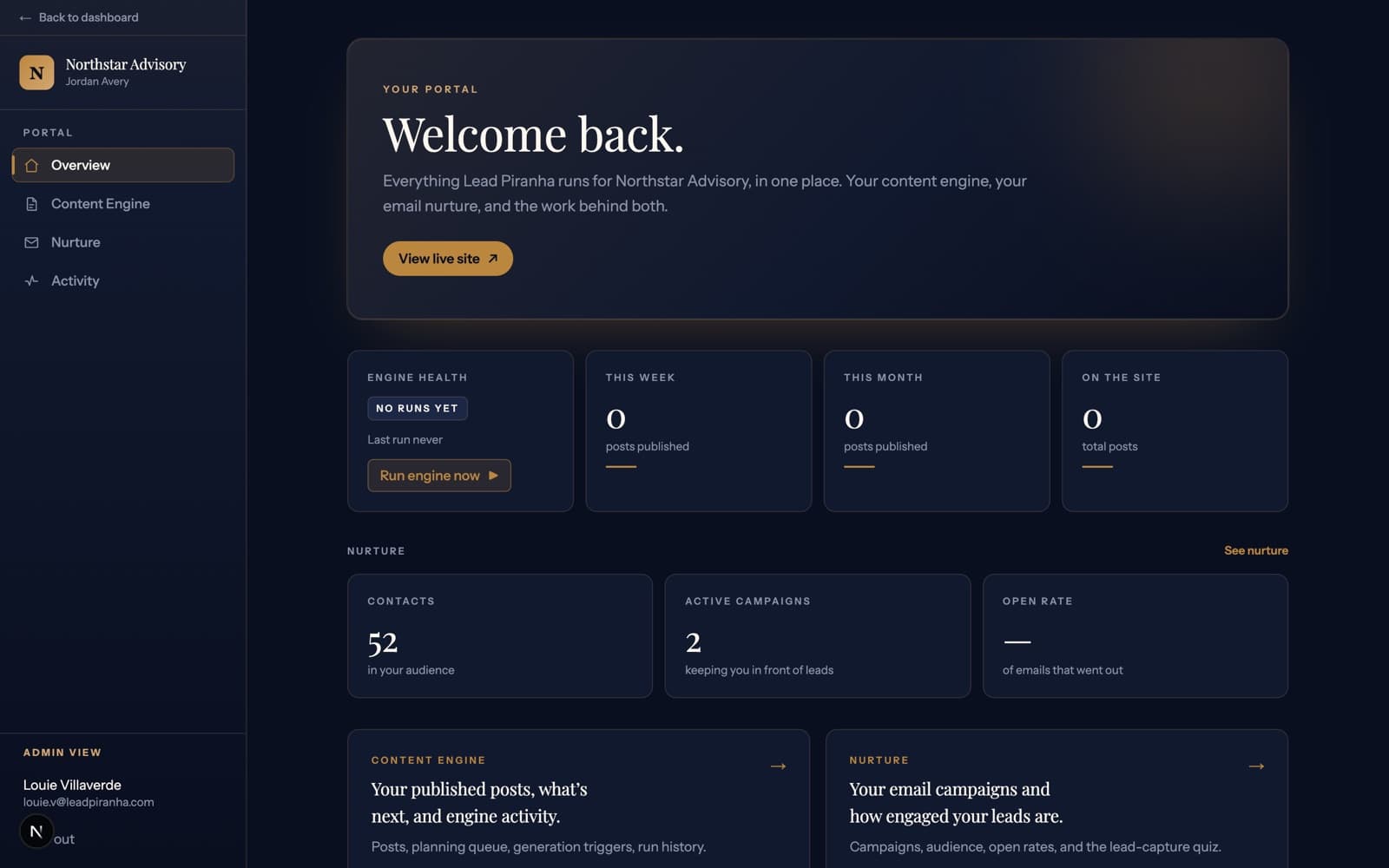
One place it all lands
Requests from every channel arrive in the same place, so nothing lives in one person’s texts.
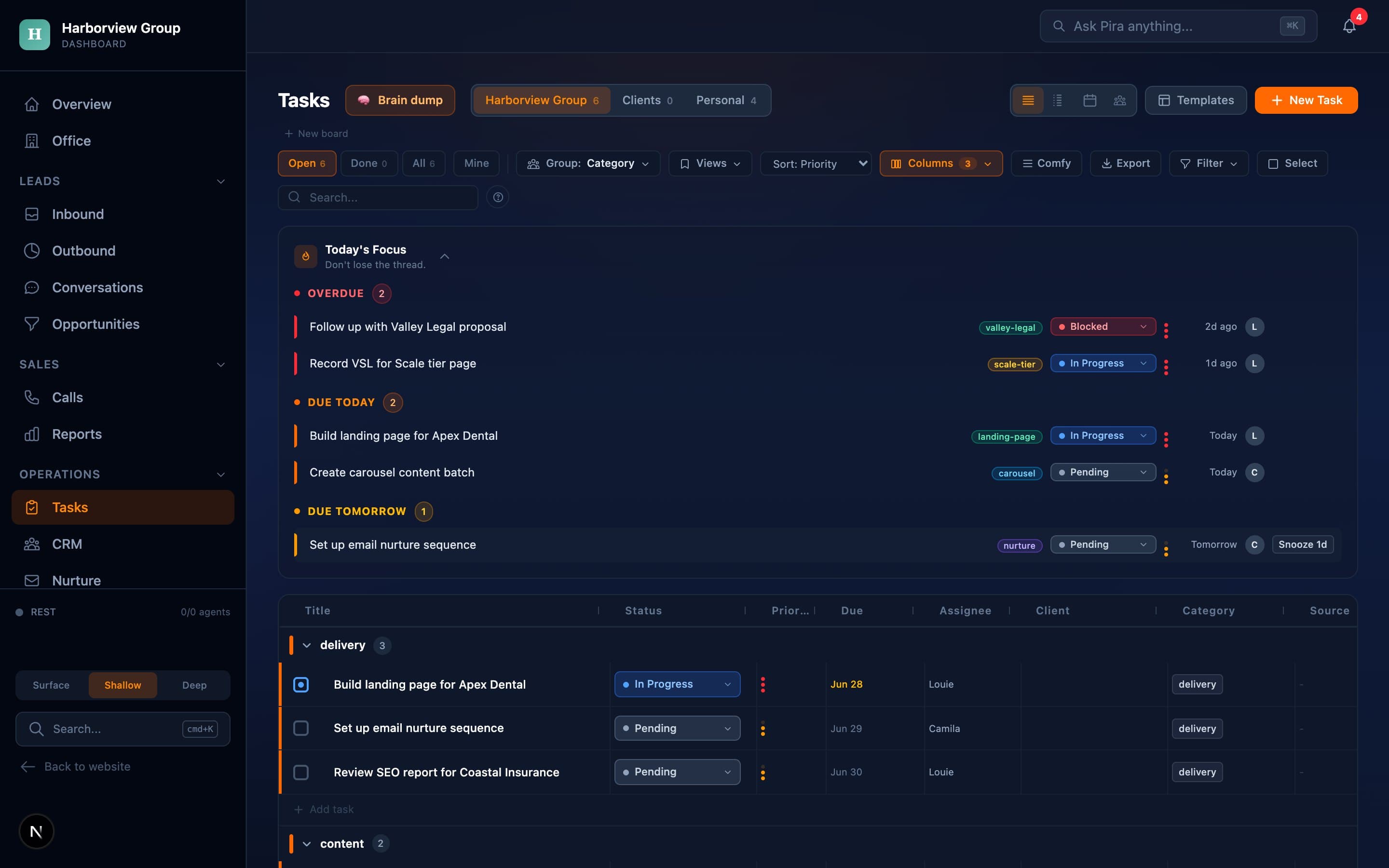
The task board that runs the work, inside a client operating system. Shown with sample data and a placeholder brand.
What your Operations workflows do.
Intake, dispatch, paperwork, and client management taken off your team so they can do the actual work.
The standard build
Meridian Partners, house rules
- Minimum job $850, we decline below it
- Two-week lead time April through June
- Never quote commercial without a site visit
Company knowledge base
Core buildEverything about how your business actually runs, in one memory the AI reads before every task, so nobody has to explain it again.
- How you price, quote, and schedule, written down once
- Your services, territory, and the jobs you turn away
- Read by every workflow, so answers stop depending on who is asked
- Jordan A. · newAnswered 6 intake questionsQualified
- P. Whitman · newOutside service areaReferred out
- Meridian Corp · newCommercial, 3 sitesTo Sam
Intake and triage
Every new job or request sorted, tagged, and routed the moment it lands.
Queued
In progress
Done
Task and project management
A real task board with calendar, reminders, and saved views, so nothing falls off the radar.
Interfaces shown with sample data.
These three are where most owners start, because they pay for themselves first.
Add on to it
What you have so far
3 of 4 workflows
$2,500/mo
Add any one of these
Price stays $2,500
Meeting capture
Calls and site visits turned into follow-up tasks and decisions automatically, so what was agreed doesn't live in one person's memory.
Job dispatch and routing
Get the right job to the right person automatically, with nothing sitting in limbo.
Document and SOP generation
Contracts, work orders, and standard operating procedures generated from your data instead of retyped by hand.
Inventory and ordering
Track what you have and reorder before you run out.
Or add a core build
Moves you to Scale · $4,500/mo
Client portals (white-label)
Core buildA branded command center your clients or team log into, with their data, jobs, and documents in one place.
Core builds are the heavy ones, several pieces of work each. A Build carries one and your standard build already uses it, so this one moves you up.
See the whole ladder, every tier with each tool and API cost inside it.
What’s inside your Operations system.
Every workflow above is run by agents in here. This is the live slice of our own system that does this job today.
Departments
What sets it off
Every dot is an agent that runs our own Operations the way yours would run.
That’s the whole Operations system, running for us today. Yours starts with the workflow costing you the most, so you’re not paying for all of it on day one.

Pira reports to you
You never have to log in to know how it is going.
Pira is the AI that runs your Operations workflows, and she keeps you posted right on your phone. A morning brief, a ping the moment something moves, and a heads-up any time something is waiting on your call.
- A morning brief, so you start the day knowing where things stand
- A ping the moment something important happens
- A heads-up when something is paused and needs your approval
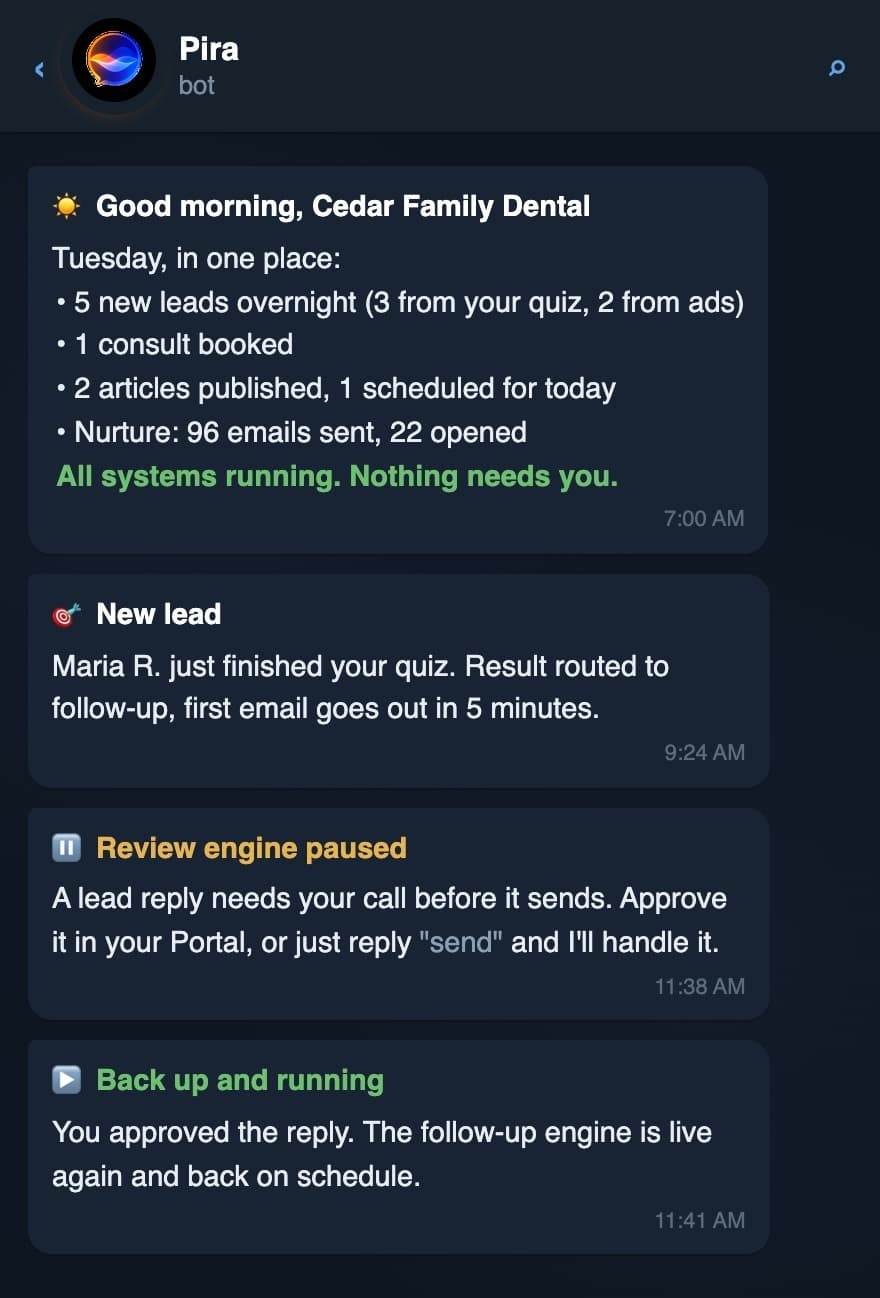
Sample reporting with a placeholder brand.
Stronger together.
Each system runs on its own, and they share one operating system, so pairing them compounds what either does alone.
What owners ask before they start.
They log into one place instead of the several they juggle now, and most of the work reaches them the same way it always did, as a job on a board with a name and a due date. The point is to take steps away from your team rather than hand them a new tool to keep fed.
It's built around how you already work, so the odd steps are the part we map first. We start from proven pieces and adapt them, which is why a system is usually live in about ten days instead of months.
Yes. You get branded portals on your own domain where a client or a crew sees their jobs, documents, and status, and role-based access means people only see what they should.
Contracts, work orders, and SOPs get generated from the data you already have instead of typed out again. The information only gets entered once, at intake, and everything downstream builds off it.
A workflow that works most of the time gets quietly abandoned: your team goes back to the old way and nobody tells you. So after launch we watch it run on your real work and tune it until nothing is being worked around. That is what the monthly is for.
Something else on your mind? See how the whole thing works or check the pricing.
Operations system
From $2,500/mo
Get started
Want your Operations workflows running for you?
Tell us how it works in your business and we'll show you the build, on your own operating system, and what it costs.